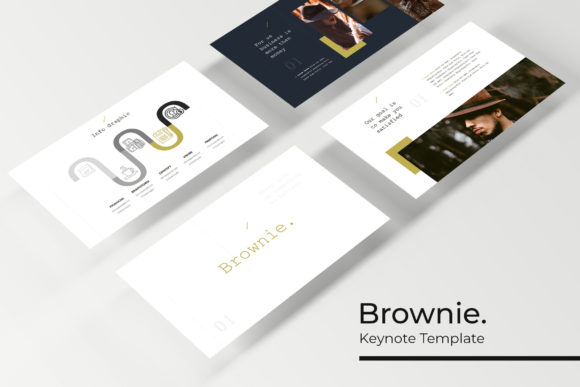
Master Your Next Pitch with the Brownie Google Slide Template
You’ve got the data, the strategy, and the vision, but when it’s time to present, does your slide deck actually support your message? For entrepreneurs, marketers, and creative professionals, a presentation isn’t just a collection of bullet points—it’s a critical brand touchpoint. The difference between a pitch that lands and one that falls flat often comes down to visual coherence and professional polish. That’s where a thoughtfully designed asset like the Brownie Google Slide Template enters the picture, transforming a mundane requirement into a strategic advantage.
At its core, this template system is built on the principle of versatility without complexity. With over 150 total slides distributed across five premade color variations, it offers a substantial library of layouts. Each color theme provides 30 distinct slides, ensuring you have the right structure for any content type—whether it’s a data-heavy quarterly review, a portfolio showcase, or a compelling brand story. The five integrated color palettes are carefully curated, moving beyond generic primaries to sophisticated, contemporary tones that can instantly set the mood of your presentation. This isn’t just about making things look pretty; it’s about providing a ready-made visual language that aligns with different brand personalities, from energetic and bold to calm and authoritative.
Beyond Bullet Points: Practical Design for Real-World Communication
The true value of a presentation template lies in its ability to solve specific communication challenges. Consider the common need for clarity. The Brownie template addresses this with handcrafted infographics that turn complex information into digestible, engaging visuals. Instead of describing a process in a dense paragraph, you can guide your audience through a clean, step-by-step diagram. For those building a brand identity, consistent visual storytelling is non-negotiable. Using the same template across internal team meetings, client pitches, and investor decks reinforces your brand’s aesthetic, building recognition and trust over time.
For small business owners and content creators, time is the most valuable resource. The template’s functionality is designed with this in mind. Every graphic element is resizable and editable, and the picture placeholders use a simple drag-and-drop interface. This means you can swap out a product image or update a team photo in seconds without wrestling with alignment or formatting. The master slide foundation ensures that any global change—like updating your brand’s primary color or adjusting the font style—propagates instantly across all 150+ slides. This level of control is what separates a professional presentation from an amateur one. It allows you to focus on refining your message rather than fighting with the software.
Integrating the Template into Your Creative Workflow
Think of this asset as a starting framework, not a finished product. Its strength lies in its adaptability to various professional contexts. A graphic designer can use the portfolio slides to create a sleek, client-ready showcase of recent work. A marketing team can leverage the section break slides to create clear narrative arcs in a campaign debrief. The inclusion of dedicated gallery layouts makes it ideal for product-based businesses to visually highlight features or for bloggers to present travel photography or recipe steps with elegance.
The practical applications extend far beyond the boardroom. Educators can structure course materials with greater visual appeal. Non-profits can build more compelling grant proposals or community reports. Event planners can design stunning invitations or day-of presentations. The template’s structure, with its clean lines and balanced compositions, serves as an excellent foundation for creating other design assets. You could extract the style of an infographic for a social media post, or use the typographic hierarchy established in the slides to inspire a brochure or a website’s landing page. This cross-pollination of design elements is key to maintaining a cohesive visual brand across all your marketing assets, from digital products to print materials.
Choosing and Customizing Your Visual Foundation
When you first open the provided files, the initial step should be exploration, not customization. Scan through all five color themes and the various slide types to understand the full scope of what’s available. Notice how different layouts handle text, imagery, and negative space. This assessment helps you choose the color variation that best matches your project’s goals—perhaps the warm tones for a lifestyle brand or the cool, muted palette for a tech-focused presentation.
Typography is a critical component of the template’s design. The recommended free fonts included in the package are chosen for their readability and modern aesthetic. Before finalizing your deck, test these typefaces with your actual content. Ensure that body text remains clear at typical projection distances and that headline fonts make an impact without overwhelming the slide. While the template provides a strong typographic starting point, don’t be afraid to experiment with font pairing if your brand guidelines specify different typefaces. The goal is to achieve visual consistency that supports, rather than distracts from, your core message.
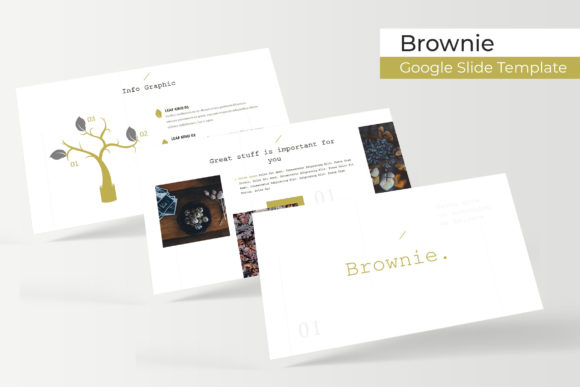
Finally, always remember that the preview images are for illustration only. The power of the Brownie Google Slide Template is in its structure and design system. By populating it with your own high-quality photographs, original data, and authentic content, you transform it from a generic asset into a personalized, powerful communication tool. It’s a foundation that saves hours of design work, elevates your professional image, and gives you the confidence to deliver a presentation that truly resonates.