Dishies: The Versatile PowerPoint Template for Modern Brands
Creating a presentation that truly stands out often feels like a monumental task, especially when you're balancing tight deadlines with the need for professional polish. Many of us have experienced the frustration of wrestling with default templates that lack personality or spending hours trying to align elements perfectly. The right design asset can transform this process from a chore into a streamlined, creative endeavor. For entrepreneurs, marketers, and designers, a tool that combines visual appeal with deep customization isn't just a convenience—it's a strategic advantage.
A Foundation Built on Flexibility and Polish
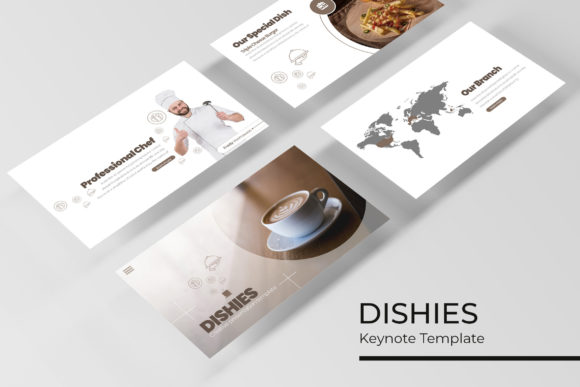
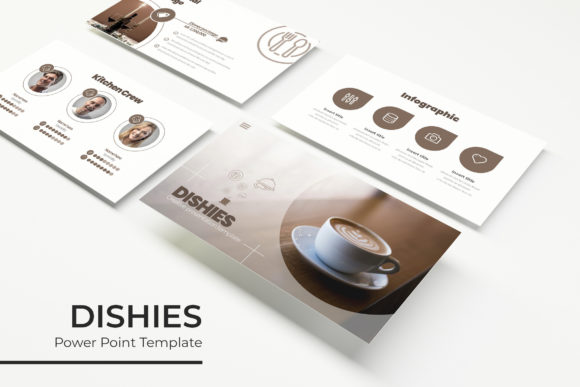
The Dishies PowerPoint Template is designed to address these common pain points directly. It's not merely a collection of slides; it's a comprehensive system for building compelling narratives. At its core are 150+ total slides, meticulously organized into five distinct premade color themes. Each color variation contains 30 unique slides, providing a rich palette to match any brand identity or project mood. This structure eliminates the guesswork from color coordination, allowing you to select a cohesive theme and build your presentation with confidence.
Beyond the color schemes, the template's value lies in its thoughtful components. You'll find section break slides to logically divide your content, dedicated gallery and portfolio slides to showcase work visually, and a suite of handcrafted infographics. These infographic elements are crucial for transforming complex data into digestible, engaging graphics. Whether you're presenting quarterly results, explaining a process, or outlining a strategy, these visuals help maintain audience focus and improve information retention.
Practical Applications for Creators and Businesses
Understanding the features is one thing; seeing how they apply to real-world projects is where the true utility becomes clear. The versatility of a template like Dishies makes it a valuable asset across numerous professional and creative domains.
- Brand Presentations & Pitches: For startups and agencies, a pitch deck is often the first major touchpoint. Using the premade color themes ensures your deck aligns with your brand guidelines instantly, projecting consistency and professionalism. The resizable and editable graphic placeholders make it easy to drop in your own logos, product shots, and team photos without distorting the layout.
- Marketing and Social Media Strategy: Content creators and social media managers can use the template to plan and present content calendars, campaign results, or platform strategies. The pixel-perfect illustrations and clean layouts help articulate a clear visual strategy, which is essential for maintaining a cohesive brand presence across channels.
- Internal Reporting and Training: Clear communication within a team is vital. The structured slides and infographic options are perfect for creating internal reports, training manuals, or workshop materials. The master slide foundation ensures every document has a unified look, reinforcing company branding even in internal communications.
- Educational and Editorial Layouts: For educators, bloggers, or anyone creating digital products, the template can serve as a basis for e-books, course materials, or visual guides. The logical flow from section breaks to content slides mirrors the structure of a well-organized document, making complex information more approachable.
Streamlining Your Design Workflow
One of the most significant advantages of a well-constructed PowerPoint template is the time it saves. The drag & drop functionality based on master slides means you're not starting from a blank canvas. You're working within a system designed for efficiency. Need to swap an image? Simply click the placeholder and insert your own. Want to change the entire color scheme? Applying a different master color theme updates the whole presentation in a single step.
This efficiency extends to collaboration. When everyone on a team uses the same template with its standardized slides, the resulting presentations have a unified look and feel, regardless of who created them. This is fundamental for building a strong, recognizable brand identity. The consistency in typography, spacing, and visual elements across all documents fosters a sense of reliability and professionalism that audiences instinctively trust.
Key Considerations for Implementation
To get the most out of any premium template, a few practical steps can make a big difference.
- Start with Your Brand Assets: Before diving into slide creation, have your logo, color codes, and preferred fonts ready. While the template includes a recommended free font, you can often adapt it to your existing brand fonts if they are compatible with PowerPoint.
- Plan Your Content First: Outline your key messages and structure before you start designing. Knowing what you need to say helps you choose the right slides—whether it's a data-driven infographic, a full-bleed image gallery, or a simple text layout.
- Leverage the Infographics: Don't just use the pre-designed charts as-is. Edit the data, colors, and labels to accurately reflect your information. A well-customized infographic is far more powerful than a generic one.
- Test Your Presentation: Always run your final presentation in slideshow mode to check for timing, transitions, and readability. Ensure text is large enough to be seen in the back of a room and that any embedded media plays correctly.
The package's inclusion of a Readme First file and font download links is a helpful detail, ensuring you have all the necessary resources to get started without technical hiccups. It's also important to remember that while the template provides the structure and design, the photographs and specific imagery used in previews are for demonstration. Your own high-quality images will bring the presentation to life and make it uniquely yours.
Ultimately, a resource like the Dishies PowerPoint Template is about removing barriers. It handles the heavy lifting of design and layout, freeing you to focus on what truly matters: your message, your story, and your connection with the audience. Whether you're securing a client, educating a team, or launching a new product, having a reliable, visually consistent framework at your fingertips empowers you to communicate with greater clarity and impact.