Designing Professional Booklets with Google Slides
Imagine handing a client a beautifully designed booklet that perfectly captures your brand's essence—without ever opening a complex desktop design application. That’s the promise of the Booklet Google Slide Template. This isn't just another set of slides; it's a comprehensive design system built directly within Google Slides, offering a surprisingly powerful and accessible way to produce professional-grade booklets, presentations, and marketing collateral. For entrepreneurs, marketers, and creators who need polished results fast, it bridges the gap between ambition and execution.
A Visual System, Not Just a Template
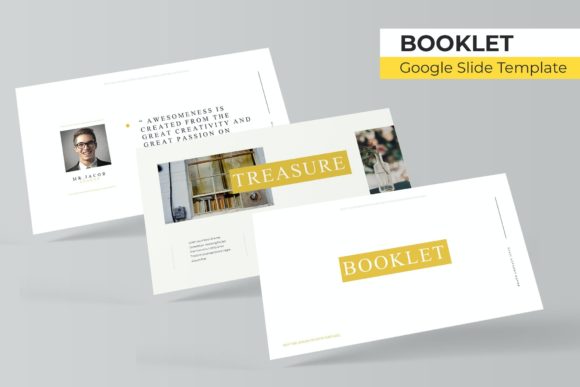
What makes this particular Booklet Google Slide Template stand out is its foundation as a cohesive visual system. With 150+ total slides organized into five premade color themes—each containing 30 meticulously crafted slides—it provides a robust starting point that feels both structured and flexible. The five distinct color variations allow you to instantly match your brand palette, ensuring visual consistency from the very first slide. This isn't about forcing your content into a rigid mold; it's about providing a professional framework that you can adapt, which is a huge time-saver for small business owners juggling multiple roles.
The real magic lies in the included features designed for real-world use. The handcrafted infographics transform complex data into engaging visual stories, perfect for annual reports or investor updates. Section break slides create a natural flow, making your booklet easy to navigate. Dedicated gallery and portfolio slides offer elegant layouts to showcase your work, whether you're a photographer displaying a portfolio or a consultant presenting case studies. Every graphic element is resizable and editable, and the picture placeholders operate on a simple drag-and-drop principle. This means you can swap out images without worrying about breaking the layout—a practical feature that respects your time.
Practical Applications Beyond the Obvious
While the name suggests a booklet, the applications of this template extend far into various aspects of branding and marketing. Consider using it to develop a cohesive brand identity guide. The pixel-perfect illustrations and master slide foundation ensure that your typography, color schemes, and logo placements remain consistent across every page, reinforcing brand recognition with every document you produce.
For content creators and marketers, it’s a powerhouse for generating multiple assets from a single source. Design a comprehensive product booklet, then easily repurpose individual slides as social media graphics or website banners. Create a visually stunning media kit or a detailed service brochure that looks like it came from a high-end design agency. The template’s structure also lends itself perfectly to editorial layouts for digital magazines or lookbooks, providing a clean, modern typography framework that enhances readability and keeps your audience engaged.
The versatility is key. Use it to design packaging inserts, create event programs, or develop instructional manuals. The included "Readme First" file and access to free fonts mean you’re not left guessing about setup or facing unexpected font costs, which is a thoughtful touch for anyone mindful of their project budget.
Streamlining Your Design Workflow
One of the most significant advantages of this system is how it streamlines the design process. Because it's based on master slides, making a global change—like updating a font or adjusting a color accent—is a matter of editing one slide, and the change propagates throughout the entire document. This feature is invaluable for maintaining visual consistency, especially when working on lengthy documents or collaborating with a team.
The practical advice here is to start with the color theme that best aligns with your current brand or project mood. Don’t be afraid to mix and match elements from the 30 slides within a theme. A cover slide from one layout might pair beautifully with a content slide from another. Test different font pairings provided or experiment with your own, keeping readability as your north star. The template’s clean, modern design provides a neutral yet professional canvas that can support a variety of typeface styles, from a clean sans serif for body text to a more expressive display font for headlines.
Empowering Professional Presentation
Ultimately, the goal of any design asset is to elevate your communication. This Booklet Google Slide Template does exactly that by removing technical barriers. It empowers you to produce marketing assets, brand documents, and visual presentations that command attention and convey credibility. The professional presentation it enables can directly impact audience engagement—people are more likely to trust and invest in a brand that presents itself cohesively and thoughtfully.
Whether you're a freelancer pitching to a new client, a startup crafting its first brand guide, or a blogger creating a downloadable resource, having a reliable, adaptable design system like this in your toolkit is a strategic advantage. It turns the daunting task of booklet design into a manageable, even enjoyable, part of your creative workflow. The included files—five PPTX widescreen files, each with its own color theme—ensure you’re ready to go from the moment you download, making that professional leap more accessible than ever.